验证码是怎么来的?
前端地址:
src\views\user\LoginAccount.vue
前台请求
1
2
3
4
5
6
7
| {
"success": true,
"message": "操作成功!",
"code": 0,
"result": "data:image/jpg;base64,xxxx..",
"timestamp": 1585981360953
}
|
获取验证码前端
1
2
3
4
5
6
7
8
9
10
11
12
13
14
15
16
| handleChangeCheckCode(){
this.currdatetime = new Date().getTime();
this.model.inputCode = ''
getAction(`/sys/randomImage/${this.currdatetime}`).then(res=>{
if(res.success){
this.randCodeImage = res.result
this.requestCodeSuccess=true
}else{
this.$message.error(res.message)
this.requestCodeSuccess=false
}
}).catch(()=>{
this.requestCodeSuccess=false
})
}
|
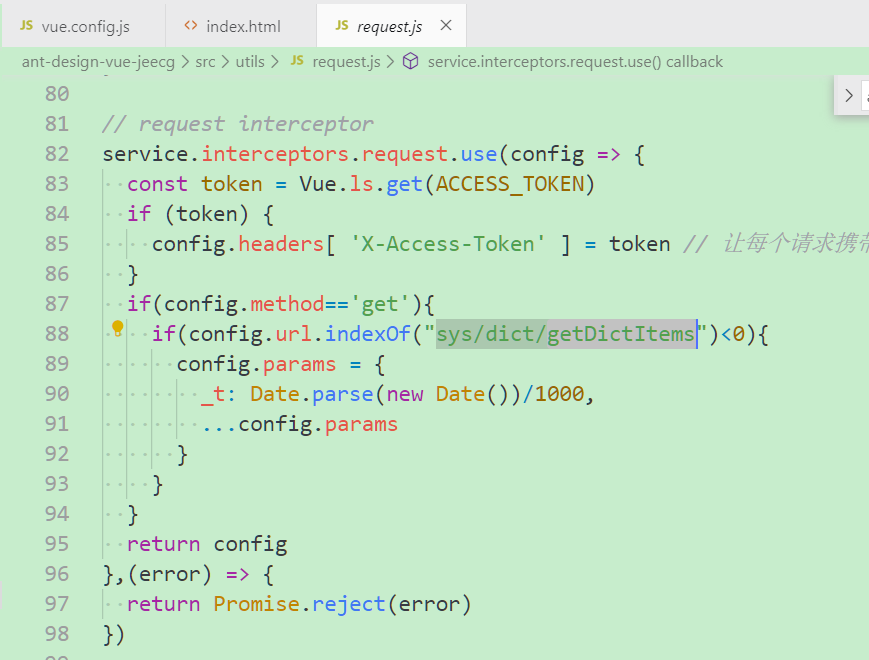
我们得知,/sys/randomImages后面跟的是当前时间戳,且前台会把当前时间戳记录下来;至于_t,我猜是为了防止请求缓存,携带的随机数
由下面图片得到验证(地址:src\utils\request.js)
验证码后台
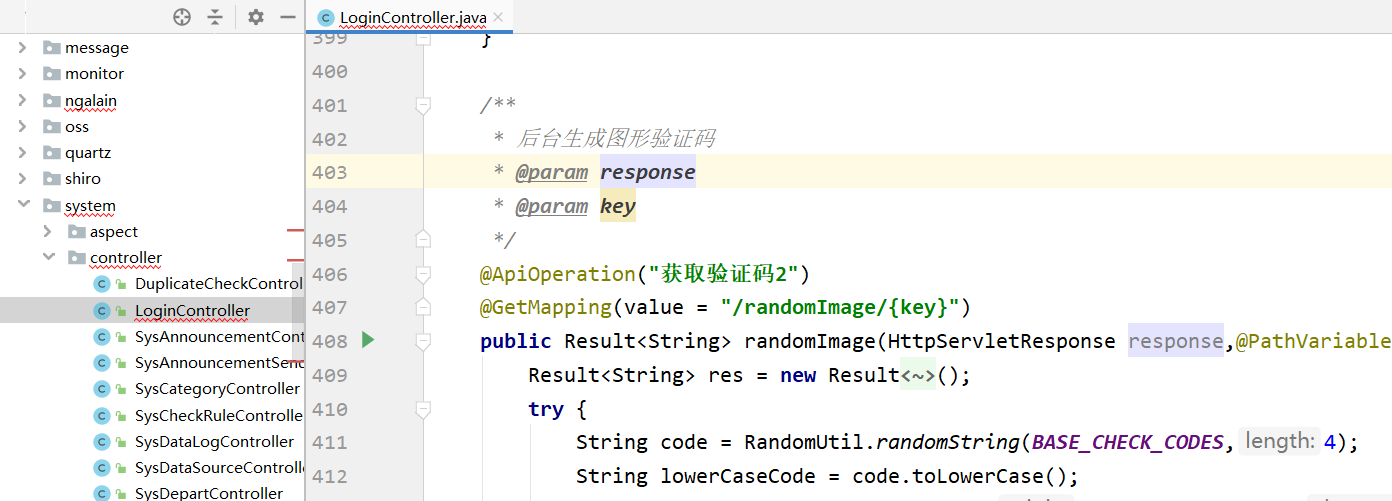
文件地址:
org.jeecg.modules.system.controller.LoginController#randomImage
1
2
3
4
5
6
7
8
9
| String code = RandomUtil.randomString(BASE_CHECK_CODES,4);
String lowerCaseCode = code.toLowerCase();
String realKey = MD5Util.MD5Encode(lowerCaseCode+key,"utf-8");
redisUtil.set(realKey,lowerCaseCode,60);
String base64 = RandImageUtil.generate(code);
res.setSuccess(true);
res.setResult(base64);
|
验证码照片生成RandImageUtil.generate
org.jeecg.modules.system.util.RandImageUtil#generate(java.lang.String)
1
2
|
BufferedImage image = getImageBuffer(resultCode);
|
getImageBuffer方法如下
1
2
3
4
5
6
7
8
9
10
11
12
13
14
15
16
17
18
19
20
21
22
23
24
25
26
27
28
29
30
31
32
33
34
35
36
37
38
39
40
41
| private static BufferedImage getImageBuffer(String resultCode){
final BufferedImage image = new BufferedImage(width, height, BufferedImage.TYPE_INT_RGB);
final Graphics2D graphics = (Graphics2D) image.getGraphics();
graphics.setColor(Color.WHITE);
graphics.fillRect(0, 0, width, height);
graphics.drawRect(0, 0, width - 1, height - 1);
final Random random = new Random();
for (int i = 0; i < count; i++) {
graphics.setColor(getRandColor(150, 200));
final int x = random.nextInt(width - lineWidth - 1) + 1;
final int y = random.nextInt(height - lineWidth - 1) + 1;
final int xl = random.nextInt(lineWidth);
final int yl = random.nextInt(lineWidth);
graphics.drawLine(x, y, x + xl, y + yl);
}
for (int i = 0; i < resultCode.length(); i++) {
graphics.setColor(Color.BLACK);
graphics.setFont(new Font("Times New Roman", Font.BOLD, 24));
graphics.drawString(String.valueOf(resultCode.charAt(i)), (23 * i) + 8, 26);
}
graphics.dispose();
return image;
}
|